Writing Your Own Claude Plugin and Shipping It to the World
Published . · 19 min read
Claude Code has a plugin system now. Which means anyone, including you, can bundle up a bit of AI-assisted magic, put a pretty bow on it, and have it installed by strangers on the internet in two commands.
Writing the plugin is the easy part. Getting people to actually install it is the part nobody tells you about.
This post walks through the whole round trip: build a Claude plugin, publish it to GitHub, list it on AgentHub (a community marketplace I built), and see the install from the user side. We’ll do it with a tiny demo plugin so nothing gets in the way of the shape of the thing.
Once you’ve everything set, you can install your plugin like:
What even is a Claude plugin?
A Claude plugin is a directory. That’s it. A directory with a manifest at .claude-plugin/plugin.json and some combination of:
- Skills — markdown files Claude invokes when the task fits
- Commands — skills you call explicitly with
/plugin-name:command-name - Agents — full subagent definitions
- Hooks — run scripts on events like
PostToolUse - MCP servers — wire in external tools
- LSP servers — language intelligence for Claude
You can include one of these or all of them. The manifest is the glue.
The official docs are excellent and you should keep them open in another tab:
- Create plugins → the main guide
- Plugin manifest schema
- Plugin marketplaces — how distribution works
- Skills, Hooks, Subagents, MCP
Now that you’ve acquainted with the basics, let’s build…
Make sure that you got these setup first:
- Claude Code installed and you’re logged in. If
/plugindoesn’t exist in your session, update or upgrade. - A GitHub account. Your plugin is going to live in a public repo.
We’re building
claude-plugin-demo. One skill, calledgreet. It takes a name, prints an ASCII-art banner of it via figlet (because the CLI doesn’t need to be boring, right?), and follows up with a warm, slightly over-enthusiastic welcome. Nothing fancy. The point is the pipeline, not the payload. Make sure you havefigletinstalled:brew install figlet,apt install figlet, or equivalent.
Once you’ve got the full pipeline working with a toy plugin, swapping greet for something useful (a PR reviewer, a commit-message writer, a changelog formatter, whatever) is a mechanical exercise.
Lets get started
Your tree now looks like this:
One structural thing the docs call out and everyone gets wrong: only plugin.json goes inside .claude-plugin/. Skills, agents, commands, and hooks all sit at the plugin root. If you nest them inside .claude-plugin/, Claude Code silently ignores them and you spend 40 minutes wondering why. This was my first mistake when I was writing my first publishable skill.
The Manifest
If you’ve shipped anything on a package registry, you already know this shape. A Node package has package.json. A Rust crate has Cargo.toml. A Python project has pyproject.toml. A VS Code extension has package.json with a contributes field. A browser extension has manifest.json. Same idea every time: a small declarative file at a known path that tells the host what this thing is, who made it, what version it’s at, and what surface it exposes.
A Claude plugin’s manifest plays the same role. It lives at .claude-plugin/plugin.json, and Claude Code reads it to figure out your plugin’s name (which becomes the skill namespace), its version (how /plugin update decides there’s something new), its author, and the metadata that marketplaces like AgentHub use to list you. Unlike package.json, it doesn’t declare dependencies or build scripts — the plugin is the source; there’s nothing to compile. And unlike a VS Code contributes block, you don’t enumerate every skill and command here. Claude Code discovers those by walking the directory. The manifest is intentionally thin: identity and metadata, nothing more.
Create .claude-plugin/plugin.json:
{
  "name": "claude-plugin-demo",
  "description": "A tiny demo plugin with one greeting skill. Use it as a template for your own.",
  "version": "1.0.0",
  "author": {
    "name": "Ani",
    "url": "https://blog.anirudha.dev"
  },
  "homepage": "https://github.com/anistark/claude-plugin-demo",
  "repository": "https://github.com/anistark/claude-plugin-demo",
  "license": "MIT",
  "keywords": ["demo", "greeting", "tutorial"]
}
Field-by-field, the ones that actually matter:
name— kebab-case, becomes the skill namespace. Skills get called as/claude-plugin-demo:greet. Pick something you won’t regret in six months.description— shows up in plugin browsers. Write it like a product tagline, not like an NPM readme.version— Follow semver. Bump it when you ship.author.name— attribution. Optional but put it in.
The full schema has a bunch more fields (homepage, icon, settings, commands, agents, skills, etc.). See the reference when you need them.
The Skill
Create skills/greet/SKILL.md:
---
description: Greet a user by name with a figlet ASCII-art banner plus a warm welcome. Use when asked to say hi to someone, onboard a new person, or welcome someone to a project.
---

# Greet

The user wants you to greet "$ARGUMENTS".

Run this command to print an ASCII-art banner of their name:

```sh
figlet "$ARGUMENTS"
```

If `figlet` is not installed, tell the user to install it (`brew install figlet` on macOS, `apt install figlet` on Debian/Ubuntu, `choco install figlet` on Windows) and stop.

After the banner prints, write a short (2–3 sentence) welcome message below it. Be warm. Be slightly over the top. Throw in one genuinely useful offer of help — e.g. "want me to set up your project skeleton?" or "shall I explain the codebase layout?".

Do not include emoji unless the user's name already has one.
A few things to notice:
- The YAML frontmatter’s
descriptionis what Claude reads to decide whether to auto-invoke the skill. Write it like you’re writing to a very literal coworker. Say what it does AND when to use it. Vague descriptions = skill never gets picked. $ARGUMENTScaptures everything the user types after the skill name./claude-plugin-demo:greet Priya→$ARGUMENTS="Priya".- The body is the instruction. Claude treats it as a system prompt for that skill. Be specific about output format.
If you want the skill to never auto-invoke and only fire when the user explicitly calls it, add disable-model-invocation: true to the frontmatter. Worth it for commands where accidental invocation would be annoying.
Testing
Don’t publish yet. Run it against Claude Code on your machine first:
Then in the session:
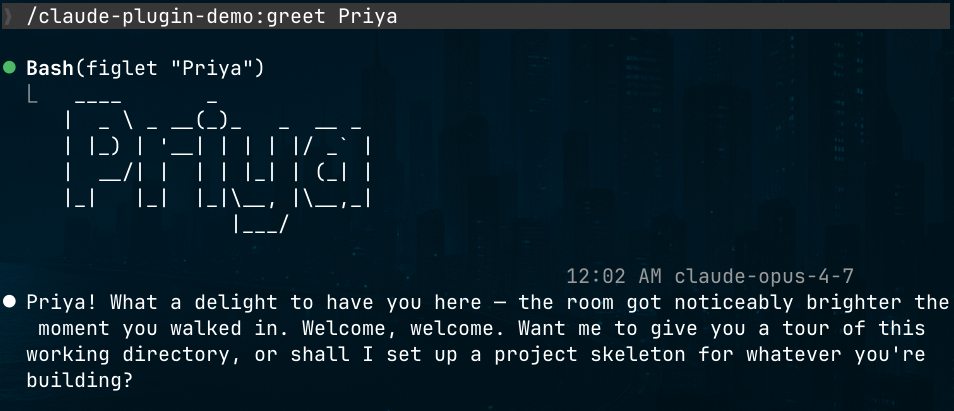
Claude should shell out to figlet, print an ASCII-art banner of Priya, then write a warm welcome underneath. Tweak the SKILL.md, run /reload-plugins inside the same session, try again. No restart needed.
If the skill doesn’t show up at all, check:
- Your directories live at the plugin root, not inside
.claude-plugin/ - The manifest parses (paste it into a JSON linter; trailing commas have ended careers)
- The skill folder name matches what you’re typing
Validating Skills
“It works on my machine” is not a shipping criterion. Before you push, run your skill through a validator so the frontmatter, metadata, and structure are all sane. I use sutras for this. A small devtool I built for the skill lifecycle: scaffolding, validation, evaluation, and packaging.
Install it:
Then validate the skill you just wrote:
You’ll get back a report on the YAML frontmatter, required fields, description length, naming, and a bunch of quality checks you’d otherwise discover the hard way in someone else’s CI. Add --strict to turn warnings into errors, or --all to sweep every skill in the repo at once. Super useful once a plugin grows beyond one skill:
From inside Claude Code (via pi)
If you use pi, sutras ships an extension that exposes /sutras commands directly in-session — validate, list, and inspect without leaving the editor:
In CI
The same check belongs on every push so a bad merge can’t sneak past. Sutras publishes a reusable GitHub Action:
# .github/workflows/validate-skills.yml
name: Validate Skills
on: [push, pull_request]

jobs:
  validate:
    runs-on: ubuntu-latest
    steps:
      - uses: actions/checkout@v4
      - uses: anistark/sutras@v0
        with:
          path: skills/
          strict: true
Pin to a major tag (@v0) for automatic patch updates, or to an exact release (@v0.4.5) if you want full reproducibility. Either way, the validator runs on every PR and fails the build before AgentHub’s own checks ever see it.
Treat validation the same way you treat linting or typechecking: cheap, local, automated, non-negotiable. If you want the longer argument for why skills deserve a proper lifecycle in the first place, I wrote about it here: Skills, Agents, and the Missing Middle. That post is the “why.” This step is the “how.”
Ready to publish
Time to make this plugin real.
Add two more files before you call it done:
README.md— what it does, install commands, a usage example. Don’t overthink it.LICENSE— MIT is the default Sunday vibe. Pick whichever works for you, but pick something.
Tag the release if you want clean semver history:
At this point your plugin already works. Anyone can install it directly from your repo:
But asking every user to remember your GitHub handle and add your repo as a one-off marketplace is friction. We can do better.

Meet AgentHub
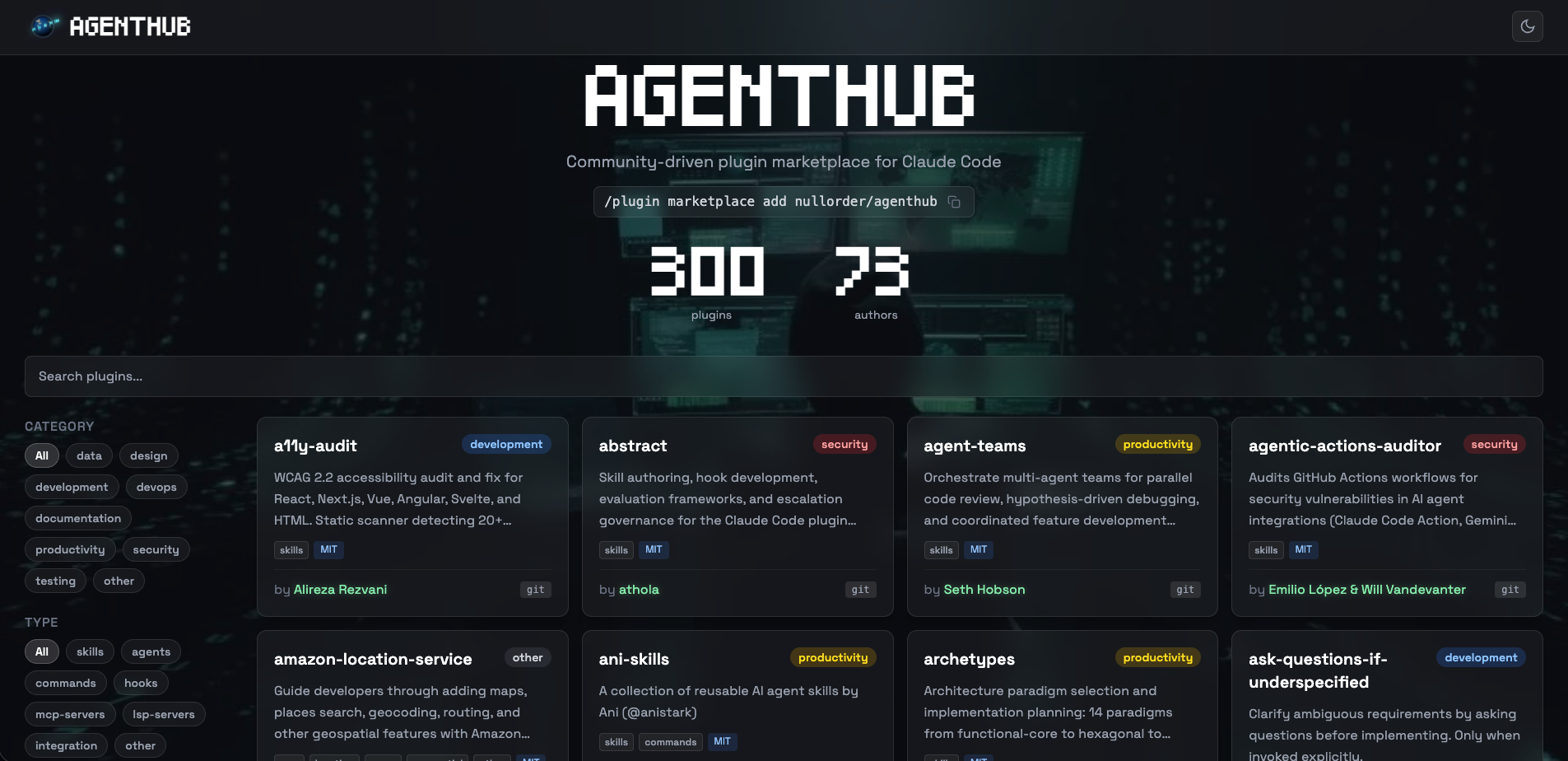
AgentHub is a community-driven marketplace for Claude Code plugins. I built it because the plugin ecosystem was coming in hot and there was no central place to discover what’s out there.
The design is deliberately boring: your plugin code stays in your own repo. AgentHub holds a catalog of references. You open a PR, we merge it, your plugin shows up when users run /plugin and hit the Discover tab. You keep ownership, you keep your CI, you keep your license. We just do matchmaking.
Users install AgentHub once:
After that, any plugin in the catalog is one command away:
Right now there are 300 plugins from 73 authors and the catalog is growing fast. Your demo plugin can join that list in the next ten minutes.
Distribute your plugin
Fork nullorder/agenthub on GitHub and clone your fork.
Inside the repo, every plugin is a single JSON file under plugins/. The filename must match the plugin name. So for our demo:
Fill it in:
{
  "name": "claude-plugin-demo",
  "source": {
    "source": "github",
    "repo": "anistark/claude-plugin-demo"
  },
  "description": "A tiny demo plugin with one greeting skill. Great template for your own first plugin.",
  "version": "1.0.0",
  "author": {
    "username": "anistark"
  },
  "category": "other",
  "license": "MIT",
  "tags": ["skills", "tutorial", "demo"]
}
The rules, because rules have consequences:
name— kebab-case, no “claude” / “anthropic” / “official” in the name, must match the filename.source— usuallygithubwithrepo: "<user>/<repo>". If your plugin lives on GitLab, is in a monorepo subdir, or ships via npm, there are three other source types. See CONTRIBUTING.md for those.version— must match the version in your plugin’s ownplugin.json. If the two drift,/plugin updatelies to users and tells them they’re up to date when they aren’t. Keep them in lockstep.category— one of:development,testing,devops,security,documentation,productivity,data,design,other. Pick honestly.tags— required, and must include at least one component type tag so users know what they’re getting:skills,agents,commands,hooks,mcp-servers,lsp-servers,integration, orother. You can add free-form tags after that (languages, frameworks, moods).
One thing worth underlining: don’t edit .claude-plugin/marketplace.json directly. That file is auto-generated from everything in plugins/ after your PR merges. If you touch it, the next build overwrites you and everyone’s annoyed.
Listing on AgentHub
AgentHub is a public repo, so contributions go through the standard GitHub fork-and-PR flow. You don’t have write access to nullorder/agenthub (and neither does anyone outside the maintainers). You open a PR from your own fork.
If you haven’t already, fork nullorder/agenthub from the GitHub UI, then clone your fork locally:
Or, if you prefer the manual route: click Fork on the GitHub page, then git clone git@github.com:<your-username>/agenthub.git. Either way, add the upstream so you can pull new changes later:
Now create your manifest file (as in the previous section), then branch, commit, and push to your fork:
Then open a PR against nullorder/agenthub:main. A good PR body looks like this:
### Plugin: claude-plugin-demo

A tiny demo plugin with one greeting skill. Meant as a reference template
for people writing their first Claude Code plugin.

- Repo: https://github.com/anistark/claude-plugin-demo
- Version: 1.0.0
- Category: other
- Tags: skills, tutorial, demo

Tested locally with `claude --plugin-dir ./claude-plugin-demo`.
Keep it short. CI will run some validation (JSON schema, naming, required fields). If something’s off, the checks will tell you what. Fix, push, done.
After a merge, the catalog regenerates and the site updates. Your plugin is now browsable by everyone using AgentHub.
Into the wild
Like the beautiful movie goes… with a little Eddie Vedder in background strumming along…Now, it’s time for a real plugin example… I wrote ani-skills, a small collection of agent skills I use every day: a commit message writer, a PR description writer, and an upstream-sync helper. Of course planning on adding more such skills to it. Listed on AgentHub as:
ani-skills@agenthub.
Inside the plugin’s own repo, .claude-plugin/plugin.json looks roughly like this:
{
  "name": "ani-skills",
  "description": "Reusable AI agent skills for Claude Code — commit messages, PR descriptions, upstream sync.",
  "version": "0.3.0",
  "author": {
    "name": "Ani",
    "url": "https://blog.anirudha.dev"
  },
  "homepage": "https://github.com/anistark/ani-skills",
  "repository": "https://github.com/anistark/ani-skills",
  "license": "MIT",
  "keywords": ["git", "commit", "pr", "development"]
}
Inside the AgentHub marketplace, plugins/ani-skills.json:
{
  "name": "ani-skills",
  "source": {
    "source": "github",
    "repo": "anistark/ani-skills"
  },
  "description": "Reusable AI agent skills for Claude Code — commit messages, PR descriptions, upstream sync.",
  "version": "0.3.0",
  "author": {
    "username": "anistark"
  },
  "category": "development",
  "license": "MIT",
  "tags": ["skills", "git", "development"]
}
Same name, same version, same description. Two files, one source of truth. This is the version-pairing discipline I was yelling about earlier. Here it is in practice.
The repo layout is the same pattern we’ve been building, just with three skills instead of one:
Because it’s installed via the plugin system, each skill is namespaced under ani-skills::
/ani-skills:commit-msg— write a well-structured git commit message from staged changes/ani-skills:pr-msg— draft a PR title and description from the current branch’s commits and diff/ani-skills:sync-upstream— sync the current branch with upstream, resolving conflicts interactively
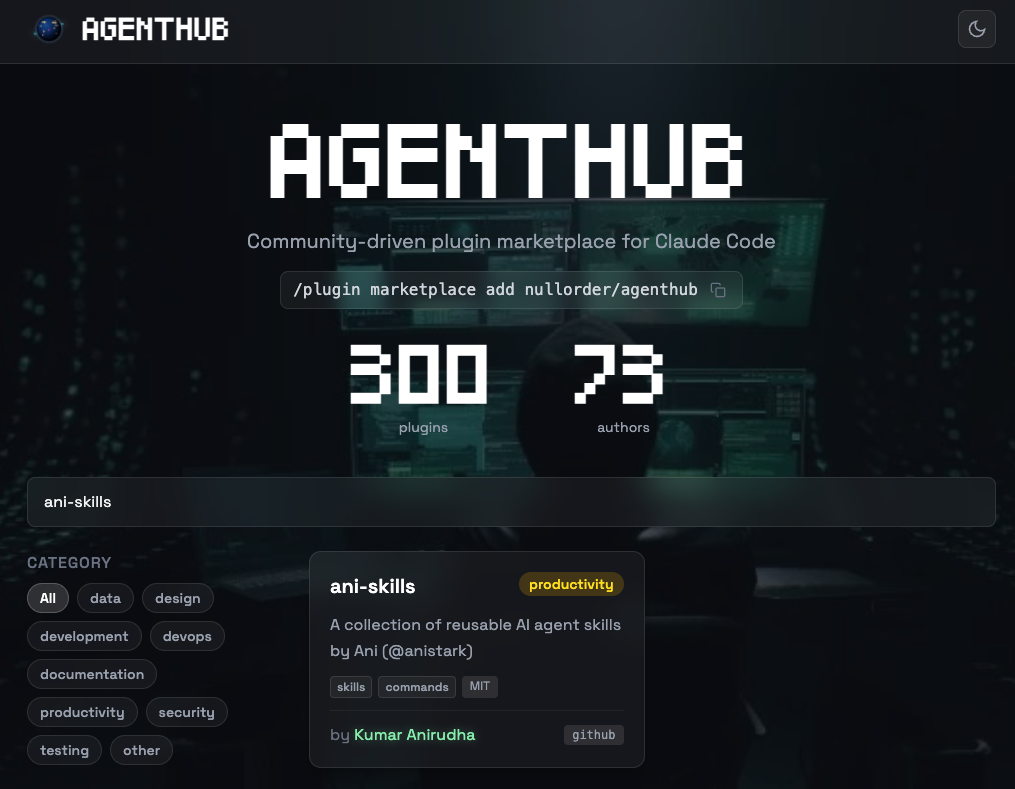
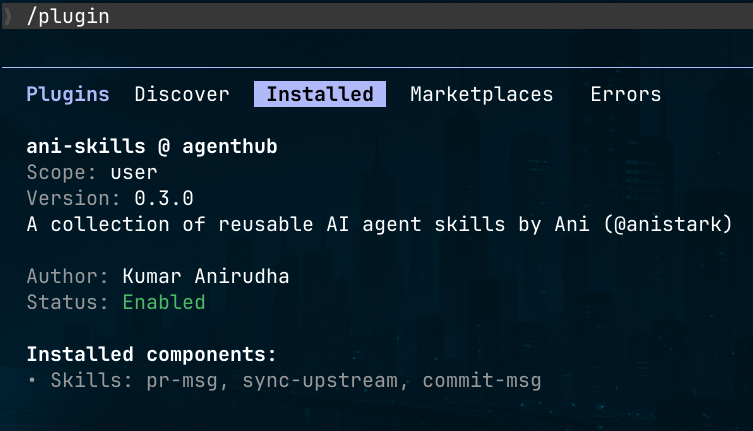
Want to try it right now instead of reading about it? Three commands, live:
That’s the full round trip on a plugin that’s actually in production. Everything we’ve walked through so far (the manifest, the skill folders, the AgentHub entry, the PR) is what got that plugin on the shelf.
Using Plugin
This is the payoff. Imagine someone (a friend, a stranger, your future self) wants to use your plugin.
They open Claude Code. They do this once, forever:
Then any time they want to install something:
That opens the plugin browser. They tap Discover, find claude-plugin-demo, tap install. Or, if they’re terminal-pilled and know the name:
Three seconds later:
Claude runs figlet on their box, prints a chunky ASCII banner of the name, and writes a warm welcome underneath. Your plugin, running on someone else’s machine, doing the thing you wrote. Satisfying.
Shipping Updates
Your plugin is not a fossil. You’ll want to ship v1.1.0, v1.2.0, v2.0.0, and so on…
The update flow is a two-step because AgentHub pins to versions explicitly:
- Ship in your own repo. Make your changes, bump
versionin.claude-plugin/plugin.json(say, to1.1.0), commit, push, tag. - Open a PR to AgentHub updating the
versionfield inplugins/claude-plugin-demo.jsonto match.
Both versions must match. If your source repo says 1.1.0 but the AgentHub entry still says 1.0.0, then /plugin update claude-plugin-demo@agenthub will tell users they’re on the latest version. They won’t be. They’ll be annoyed. Don’t do that.
If you’re only changing metadata (description, tags, category) and not shipping new plugin behavior, no version bump needed. Just edit the file in plugins/ and open a PR.
On the user end, pulling the latest:
Users can also update using by simple going in /plugin and browsing through installed plugins and clicking on Update like:
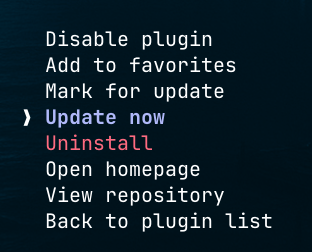
Do not forget to run
/reload-pluginsor reload your claude code session for the effect to take.
A few things I learned the hard way
Skill descriptions are a product spec. If Claude doesn’t reliably invoke your skill at the right moment, the description is almost always the culprit. Be concrete about trigger conditions. “Use when the user asks to review a PR, check code quality, or audit a diff” beats “code review skill”. The description is what Claude reads to decide whether to reach for your skill. Treat every word like it’s going on the back of a box.
Do not nest anything inside .claude-plugin/. This is the #1 bug report. Only plugin.json lives in .claude-plugin/. Everything else (skills/, agents/, hooks/, commands/, .mcp.json, settings.json) sits at the plugin root. If you put skills/ inside .claude-plugin/skills/, Claude Code silently ignores it, your skill never loads, and you burn an afternoon wondering why /reload-plugins does nothing.
Version drift is the silent killer. The version in your plugin’s own plugin.json and the version in plugins/<your-plugin>.json on AgentHub must match. If they drift, /plugin update tells users they’re on the latest version when they are emphatically not. You pushed v1.2.0 to your repo, bumped your manifest, tagged it, blogged about it, but forgot to open the AgentHub PR. Nobody gets the update. Nobody tells you. You just slowly gather confused issues.
YAML frontmatter will humble you. The YAML block at the top of SKILL.md is strict. Trailing whitespace, tabs instead of spaces, unquoted colons in descriptions: any of these can make the whole skill invisible. When a skill isn’t loading, check the frontmatter parses as YAML before you suspect anything else.
The skill character budget is a real constraint. Claude Code injects plugin skills into the system prompt with a default cap of about 15,000 characters. On a marketplace like AgentHub with 300+ plugins, if users install aggressively, some skills get silently truncated. Users can fix it by setting SLASH_COMMAND_TOOL_CHAR_BUDGET=30000 in their shell profile. Worth mentioning in your README if your plugin depends on long skill descriptions. Also a good argument for keeping your own skill descriptions tight.
/reload-plugins is not a magic wand. It reloads skills, agents, hooks, MCP servers, and LSP servers within a session. It does not always pick up changes to plugin.json itself or to settings.json. When you’re editing the manifest, restart the session. When you’re editing skill bodies, /reload-plugins is fine.
$ARGUMENTS is literal string substitution. It’s not parsed, not validated, not escaped. If a user passes "hi; rm -rf /", your skill just sees that text. Which is fine for skills that only send it to Claude as context, but if your skill runs bash (via hooks or scripts) and interpolates $ARGUMENTS directly, that’s a shell injection waiting for a bad day. Quote aggressively. Or better, use jq to parse hook input on stdin rather than threading args through the shell.
Namespacing is your friend. /claude-plugin-demo:greet looks verbose the first time you see it. After your fourth plugin, when you realize three of them shipped with a /hello, you’ll thank the designers. Do not try to fight the namespace by naming your plugin h to keep invocations short. Your future self will hate you.
Name your plugin like you’re stuck with it. Renaming after launch is painful. Users have it installed under the old name, AgentHub’s entry is keyed to the name, your docs reference the name. And on AgentHub, the name must be unique across the whole catalog. Check the plugins directory before you commit to one. If you pick something already taken, the PR gets rejected and you start over.
License and README are not optional. AgentHub’s contributing guide requires both in your plugin repo. This catches people out constantly. A five-line MIT license and a README with install commands plus one usage example is the minimum. Do it before the PR, not after.
Don’t ship secrets. If your plugin includes MCP server configs or hooks that call external APIs, resist the urge to hardcode tokens into .mcp.json or hook scripts. Use environment variables and document what the user needs to set. The moment your plugin is popular, your hardcoded key is being lifted into a hundred other users’ setups.
Platform compatibility bites hook authors. Bash one-liners in hooks.json work great on your Mac. They die silently on a user’s Windows machine, or on a minimal Linux container without jq installed. If your plugin is going to a general audience, either write hooks in something portable (Node, Python with a shebang) or list the required binaries in your README.
Read one real plugin before writing yours. The AgentHub plugins/ directory has 300 live examples. Clone a few source repos that do what you’re aiming for. Steal structure. A good reference saves more time than any doc page.
Add the badge. If your plugin ships on AgentHub, drop this in your README:
[](https://agenthub.nullorder.org)Helps discoverability, helps the marketplace, helps other builders find it.
That’s it!
Claude plugins are genuinely one of the more pleasant extension points I’ve built against in a while. The manifest is small, the local dev loop with --plugin-dir is fast, and the distribution story through a marketplace like AgentHub is two JSON files and a PR.
The era where “build a developer tool” meant shipping an npm package, a binary, a VS Code extension, and a config schema at the same time isn’t over, but it’s contracting. Now you can ship a folder.
If you end up building one, list it on AgentHub. If you hit a wall, the AgentHub Discord is where the plugin authors hang out.
Now go ship something.
References
- Demo repo — anistark/claude-plugin-demo
- Real plugin on AgentHub — anistark/ani-skills
- AgentHub — agenthub.nullorder.org · source · contributing guide
- Official Claude Code plugin docs — Create plugins · Manifest schema · Marketplaces · Discover and install
- Related reading — Skills · Hooks · Subagents · MCP