Run your code anywhere
Published on October 12, 2025. · 13 min read
Let me tell you about Vani. She’s a web development instructor teaching Node.js to a class of 30 students. Every semester, she spends the first two weeks just getting everyone’s environment set up. Some students have Windows, others have Mac, and a few brave souls are on Linux. Half of them struggle with npm permissions, a quarter get stuck with PATH issues, and there’s always that one student whose antivirus blocks Node.js installation entirely.
By the time everyone can run npm install successfully, Vani has lost two weeks of actual teaching time. And that’s just for one language. If she wants to teach Python next semester, the whole circus starts again.
Or consider Jiwan, a senior developer at a startup. He works on three different projects: a legacy app on Node.js v12, the current production app on v20, and a new experimental project on v24. He’s constantly switching between them using nvm, but sometimes he forgets to switch, and suddenly his v18 app breaks because he’s running it on v14. He’s tried Docker, but the overhead is annoying, and his M1 Mac makes Docker even slower.
Then there’s the open-source maintainer who wants to add a “Try it now” button to their project’s README. They want people to click and immediately play with the code, no installation required. But setting up a server to run user code safely is expensive and complicated. How do you sandbox untrusted code? How do you prevent someone from mining Bitcoin on your servers? How do you prevent some hidden script to steal all your passwords and if you’ve wallet linked, all your hard earned money? How do you scale when your project goes viral on Hacker News?
These aren’t edge cases. These are everyday problems that developers face. We’ve been solving them the same way for decades: install runtimes locally, manage versions manually, hope nothing conflicts, and pray that “works on my machine” actually works on theirs too.
A simple solution came up in the form of containers. Docker is almost a household tool found in every other project and sometimes too often as recommended way to develop. Various orchestration have come up in the recent years and the entire devops heavy infra became a norm, of which we’re part of today. I’m not saying dockers of this world are a pain, but I can tell you no dev, while building wants to run heavy containers just to keep checking if it’s compatible in various machines.
What if Code Could Just Run?
Imagine opening a browser and running any project without installing anything. No Node.js download, no Python virtual environments, no Go toolchain, no dependency hell. Just open a URL and start coding.
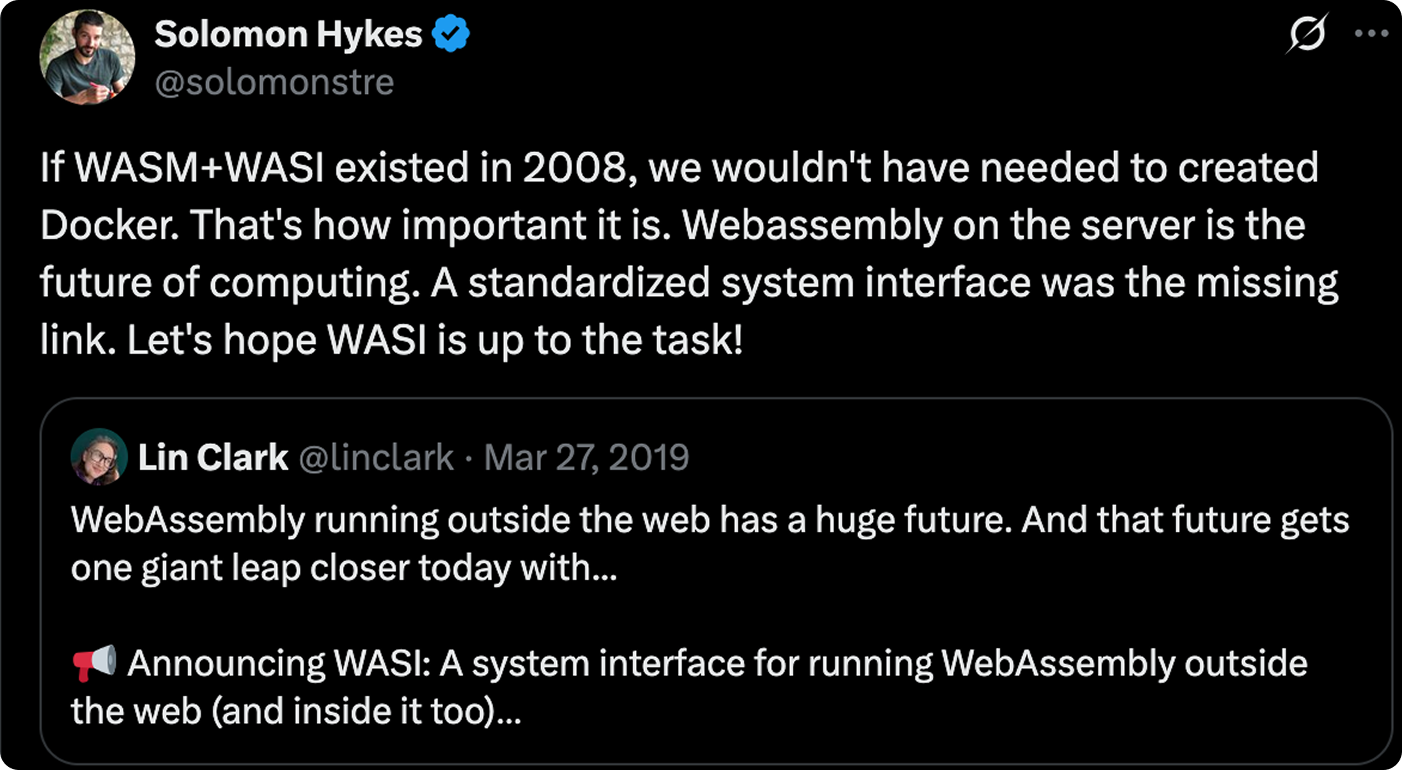
Sounds like science fiction? It’s not. StackBlitz already does this with their WebContainers. You can run full Node.js applications entirely in your browser. The server just serves static files. Everything executes client-side in WebAssembly.
But WebContainers are proprietary and focused on their IDE. What if we could have this capability as a standalone tool? What if it worked for any language, not just JavaScript? What if it was open source and you could either build or request the community for features specific to your needs?
That’s why we’re building wasmrun OS.
The Teacher’s Dream
Remember Vani? With wasmrun OS mode, she could teach Python next semester by just changing one parameter. The same environment, the same interface, different language. Her students could focus on learning programming, not fighting with their computers.
One student doesn’t have a laptop? They can use the library computer. Another student’s computer is locked down by corporate IT? Doesn’t matter - it runs in the browser. The playing field is level.
The Developer’s Sanity
Jiwan’s life gets simpler too. Each project specifies its Node.js version in package.json. wasmrun OS mode reads it and loads exactly that version - v14, v18, v20, whatever. No more nvm, no more “which version am I on again?”, no more conflicts.
He opens his legacy project, it runs on v14. He switches to production, it automatically loads v18. He experiments with the new features, v20 is there. Different projects, different versions, zero mental overhead.
Better yet, everything runs in isolation. If his experimental project crashes spectacularly, it doesn’t affect anything else. No stray processes, no port conflicts, no leftover node_modules pollution. Clean slate every time.
Play around with code more
First-time contributor wants to fix a bug in an open source project? Run it with wasmrun, see the code running, make their changes, verify the fix works, submit a PR. They never installed anything. The barrier to contribution just dropped to almost zero.
The Student Learning to Code
Ankita is learning web development. She’s 16 and uses her school’s Chromebook. She can’t install anything. The device is locked down. But she can open a browser.
Her online course uses wasmrun OS. She’s building a REST API in Node.js. She’s never touched Node.js before. She doesn’t know what npm is. She doesn’t need to. The environment handles it. She can focus on learning Express routes, not fighting with npm or bun or pnpm or yarn debate.
Next week, she’s learning Python and Flask. Same environment, same interface, different language. No cognitive load from different tools. Just learning.
The Company Running Code Safely
A startup builds a platform where users submit data processing scripts. These scripts need to run, but they’re untrusted code. What if someone writes an infinite loop? What if they try to access the file system? What if they attempt to make network requests to exfiltrate data?
Traditional solution: spin up Docker containers, set strict resource limits, monitor everything, deal with cold starts, pay for idle containers, hope your sandboxing is bulletproof.
With wasmrun OS: user submits code, it runs in a WebAssembly sandbox in their own browser. It has zero access to the host system. It can’t make network requests unless explicitly allowed. It can’t access real files. When it’s done, it’s gone. No servers strained, no security nightmares, no infrastructure costs for running user code.
The startup’s servers? They just coordinate and store results. The heavy lifting happens client-side.
The Conference Workshop
Arko is running a workshop at a developer conference. He’s teaching 200 people how to build microservices with Go. In the past, he’d spend the first 30 minutes helping people install Go, set GOPATH, troubleshoot compiler errors on Windows.
Now? “Everyone run with wasmrun.” That’s it. Two minutes later, everyone has an identical Go development environment. Different laptops, different operating systems, same environment.
Halfway through, he realizes he should have used a different Go version. He updates one configuration file, tells everyone to refresh. Done. Everything rebuilds as per the new specs now.
The Offline Developer
Puja is an adventure junkie programmer. She’s currently in a cabin in rural Vietnam with spotty internet. She’s gonna go for a deep dive the next morning. She loaded wasmrun OS mode yesterday when she had good wifi in the city. The browser cached the Node.js v20 runtime - all 50MB of it.
Now she’s offline, but she’s still coding. The runtime is cached, her project files are in the browser, and everything works. She’s building a REST API, running tests, seeing live results. No internet required.
When she gets back to civilization, she’ll push her code to GitHub. But for now, she’s productive in the middle of nowhere.
So, how does wasmrun OS actually work?
The Traditional Way
Normally, when you run Node.js code:
-
You install Node.js on your operating system
-
Your code runs as a process managed by your OS
-
It accesses your real file system
-
It makes real network requests
-
It can do anything your user account can do
This works, but it’s heavy and risky. Heavy because you need the full runtime installed. Risky because the code has real access to your system.
The wasmrun Way
With wasmrun OS mode:
-
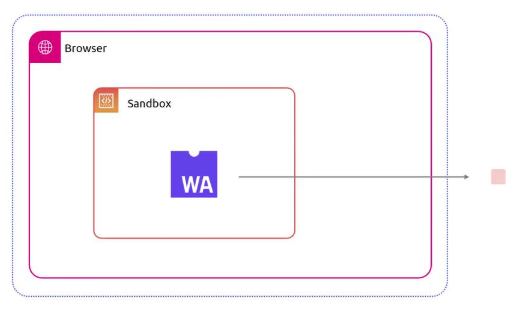
The browser downloads a tiny kernel (2-3MB of WebAssembly)
-
This kernel is like a mini operating system running in your browser
-
When you run a Node.js project, the kernel downloads the Node.js runtime (50MB, but cached)
-
Your code runs inside this Node.js runtime, which runs inside the kernel, which runs in WebAssembly, which runs in your browser. (No, I wasn’t thinking of inception, you were!)
-
It’s sandboxed at every level
Think of it like Russian nesting dolls, but for code execution environments. Best part, you don’t even need to think about any of it.
The kernel is the brain. It manages:
-
Processes: Each project you run gets a unique process ID, just like in a real OS
-
File system: A virtual file system that exists only in browser memory
-
Scheduling: If you run multiple projects, it schedules CPU time between them
-
Syscalls: When your code wants to read a file or make a network request, the kernel handles it
It’s written in Rust and compiled to WebAssembly. It’s tiny, fast, and secure. All development is in public built as open source project.
The kernel doesn’t run your JavaScript or Python directly. It loads language-specific runtimes:
Node.js runtime: A full Node.js environment compiled to WebAssembly. It includes V8 (the JavaScript engine), the Node.js APIs (fs, http, etc.), and npm support. When it needs to read a file, it asks the kernel. When it needs to make a network request, the kernel intercepts it and uses browser’s APIs like capability APIs.
Python runtime: CPython compiled to WebAssembly, with pip support. Same idea - it talks to the kernel for system operations. Kinda similar to how pyodide works, but we’re running inside a controlled container, so the runtime approach is quite different and configurable with a range of language plugins.
Go runtime: Go programs (tinygo) can already compile to WebAssembly, so this one’s simpler. The Go code compiles directly, and the kernel provides the syscall interface.
Version Management
Here’s the clever part: your package.json might say:
{
  "engines": {
    "node": ">=18.0.0"
  }
}
wasmrun OS mode reads this. It checks what Node.js versions are available. It picks v20 (the latest LTS that satisfies >=18). It checks if v20 is cached in your browser. If yes, loads it instantly. If no, downloads it once and caches it forever. Of course you can clear the cache anytime you want. I’d not want to keep nodejs v8 till today myself.
Next time you run any project that needs v20, it’s instant - already cached.
If you run a project that needs v18, it downloads and caches v18 separately. Now you have both cached. Switching between projects with different versions? Instant. No nvm, no version management, it just works.
The File System
Your project has files. Your code reads and writes them. But there’s no real file system in a browser.
wasmrun OS mode creates a virtual file system that connects with your original files using a variation of wasi filesystem. It’s just data structures in memory. When you mount your project, it loads all your files into this virtual FS. When your code does fs.readFile('package.json'), the kernel intercepts it and reads from virtual memory.
You can edit files in the browser UI, and your code sees the changes immediately. Anytime the code is edited, it hooks to the original code and updates that immediately as well.
For persistence, it can sync to IndexedDB. Close the browser, come back tomorrow, your files are still there.
If you don’t like browser UI, edit with neovim or vs code or cursor. If you edit the original code directly, the hot-loading will immediately serve the new build. wasmrun is currenty based on AOT(Ahead-of-Time) compiler. However, some interest in JIT compilers is under discussion and consideration.
The Security Model
Everything runs in WebAssembly. WebAssembly is sandboxed by design - it can’t escape the browser. Your code can’t:
-
Access your real file system
-
Make arbitrary network requests (unless the kernel allows it)
-
Run system commands
-
Access your webcam or microphone
-
Steal your cookies
It’s as secure as running code can be. Even if you run malicious code, it’s trapped in the WebAssembly sandbox. When you close the tab, it’s gone.
The Current State: Experimental and Evolving
Let’s be honest: this is ambitious. We’re essentially building an operating system in WebAssembly. We’re not done yet.
What Works Today
If you try wasmrun OS mode right now with latest wasmrun v0.13.0, you’ll get:
-
A working micro-kernel with process management
-
A virtual WASI file system you can browse
-
Project auto-detection (Node.js, Python, Go, Rust)
-
A development server that starts for your project
-
A browser UI with file explorer and kernel dashboard
-
HTTP proxying to your running application
It works. You can run a project, see it execute, browse files, and interact with it.
Why Open Source Matters
wasmrun is open source. The entire OS mode implementation is on GitHub. You can read every line of code. You can see exactly how it works.

This matters because:
Trust: You’re running code in your browser. You should be able to verify it’s safe.
Collaboration: This is a big project. We need help. Maybe you’re good at WebAssembly. Maybe you know how Node.js internals work. Maybe you’re amazing at documentation. There’s a place for you.
Innovation: The best ideas come from diverse perspectives. We’ve designed it one way, but maybe you see a better approach. Open source means you can propose it, implement it, and improve it for everyone.
Longevity: Companies pivot. Projects get abandoned. Open source means wasmrun will live as long as people find it useful.
We’re actively developing this, and we’d love your help.
If You’re a Developer
-
Contribute code: Check the GitHub issues. There’s lots to build.
-
Review architecture: Read the code and tell us where we can improve.
-
Test it: Try breaking it. Find bugs. Report them.
-
Integrate runtimes: Know how to get Node.js running in WASM? We need that expertise.
-
Optimize performance: Make it faster. Every millisecond counts.
If You’re a Tech Writer
-
Documentation: We need clear guides for users and contributors.
-
Tutorials: “Build a REST API with wasmrun OS mode” - someone needs to write this.
-
Architecture docs: Explain the system in ways people can understand.
If You’re a Designer
-
UI/UX improvements: The browser interface works, but it could be beautiful.
-
Branding: Help us look professional.
-
Accessibility: Make sure everyone can use it.
If You’re an Educator
-
Try it in your class: Give us feedback on what works and what doesn’t.
-
Create courses: Build educational content using wasmrun OS mode.
-
Spread the word: Tell other teachers about it.
If You’re a User
-
Star the repo: GitHub stars help with visibility.
-
Share your story: How would wasmrun OS mode help you?
-
Report issues: Found a bug? Tell us.
-
Feature requests: What do you need that we haven’t built yet?
The Vision Forward
Imagine a world where:
-
“Install Node.js” is no longer step one of every tutorial
-
Code examples in documentation are runnable with one click
-
Students learn programming without fighting their environment
-
Developers switch between projects and versions effortlessly
-
Running untrusted code is safe by default
-
Every computer with a browser is a full development environment
This isn’t fantasy. The technology exists. WebAssembly is here. Browsers are powerful. We just need to wire it all together.
wasmrun is our attempt to build this future. It’s experimental, it’s ambitious, and it’s not done. But it’s real, it’s happening, and you can be part of it.
We’re building an operating system for code. An operating system that runs anywhere a browser runs. An operating system that makes programming accessible to everyone.
Come help us build it.